
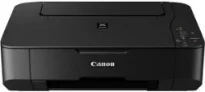
The multifunction printer characteristics include printing, copying, and scanning top-quality photos and documents. Inside the printer box are the machine, two FINE cartridges, power cord, setup guide, software, and user’s manual CD. The device’s print resolution is up to 4800 x 1200 dots per inch (dpi) under ideal circumstances. Besides, there is an inkjet print engine with a FINE print head and a 4-color system. It also has a minimum ink droplet size of 2 picolitres (pl).
Canon PIXMA MP230 Drivers for Windows
4153ab73914477b44023ad6f43e313218fec4cf4deda27f7127d133d45fff875d82647aafae19fe078be2640e07be32ca1a42afcd1ed5f1da8d132a7b4cbfc838dd427942e8e31c574841b714286f9171dafe7b49dd781ec9b62ff0cc61cf1a415e26104a051d3f79061242bb8114e3d81f35bbe709d14bb07a6284eb01471d0Canon PIXMA MP230 Drivers for macOS
ab25a266d5657ea169b7901e78a9670f825369dc4a89144b84cc4603049a053e4b182b1fb07041ed51ce2dda5f99df60142889d6c2166ebd6bee262e6015e50c206173e65e4ba741a315b761410f4d78006ab797469aacc24b88428d863b8110cb2c0b55af221a053b9c4404c9dcc251e7b3e89e205ba65489f789b87278d5e9873118605e82cbb81ddf882a5358f1040326b154578a192958c24e9e7754289e85bbb86edbab1c23f80e43bff041dc34c6eab79a70b7266fa6466271b69880b20585a7c9b935b473651d896f35802babff44671733934e72c075326003a57c6585bbb86edbab1c23f80e43bff041dc34c6eab79a70b7266fa6466271b69880b225b9e2a7b7336c06c57291d8a0f8526d6be298759d879dafb9dfbc1787472acbf264e9ab41912bf8fb3db57a0305a9d34d9393629cde75cb5a14d42d258fd854925500bfea88020e6ada8b117d368d7095519798328a2470e563f31ec1830cc1Canon PIXMA MP230 Drivers for Linux
e683c276e4a1ed2e674b87f462fc06c901389f0e0a0d51e001a1a4aced0e8ba5729ef2cc49c7a03fc7f76bb85e22444d6533c3950f918e9d03eb86badef396908b6d408f18191f19465ee8fc31aa08455e8bec186fdd3f02ee822f53a9b086a9a58a7bc05fcdc35fef19f9c4aff6f30adefe8c3defaf2e385b47c75b098ff832ecbaaf16eff9f07aa13b1c790c0edc65932dcf89775e7d2120cbbf84f4d810098ab1b3a357064715e97f58d95a10a350135272b1df37cf0428dc535eeb9779dcPIXMA MP230 driver Downloads for Microsoft Windows 32-bit – 64-bit and Macintosh Operating System.
Supported Ink Cartridges: PG-210 Pigment Black Ink Cartridge, CL-211 Dye Color Ink Cartridge
It is also compatible with the Chroma Life100+ ink type, which can produce optimum productivity levels. Under the ESAT configuration, the speed for monochrome or black and white printing is about 7.0 images per minute (ipm). On the flip side, under the same circumstances, the rate of color printing is about 4.8 ipm. Photo print speed is at the speed of 40 seconds with bordered printing at 10 x 15 cm. But this Canon PIXMA MP230 printer is not capable of borderless printing.
Some of the other print features include the fit-to-page print, scaled print, multiple pages per sheet print, and booklet print. There are also 2 FINE cartridges with this Canon PIXMA MP230 machine, namely the PG-510 cartridge for black and CL-511 for color printing. But the optional ink cartridge models are the PG-512 XL for black and the CL-513 XL for color printing. Also, these XL variants of cartridges have a higher yield than the conventional cartridge models.
The compatible paper types include plain paper, envelopes, photo paper pro platinum, and photo paper plus glossy. It is also compatible with the glossy photo paper “everyday use,” matte photo paper, and high-resolution paper. In effect, the maximum paper input load for this machine through the rear tray is up to 100 sheets. Also, the device can work with A4, A5, B5, Letter, legal, DL envelope size, and commercial envelopes.
Technical Details
| Title | Canon PIXMA MP230 Drivers |
|---|---|
| Device Type | All-in-one printer |
| Driver Version | Varies by driver and operating system |
| Available Downloads | Drivers |
| License | Free |
| Manufacturer | Canon Inc. |