
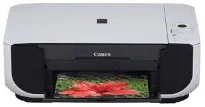
The Canon PIXMA MP210 printer model has print speeds that vary according to the printing mode, such as document or photo printing. For instance, black document printing runs at a rate of 22 pages per minute (ppm), which is as fast as 2.7 seconds per page. On the flipside, color printing has a print rate of 17 ppm, which is approximately 3.5 seconds per page. The total number of nozzles for this device is up to 1472, which comprises 320 nozzles for black printing.
Canon PIXMA MP210 Drivers for Windows
23777a6a0e3b5ef6d962c3686683e8433f1257fe1d360fdf7a38f5179f3ba918b554932501b7667827ac71de94f252d3bab44412dc46aaa56e00bba163fa9faf007b045e00c1021dcf07c52e05f521a32c35726e050a9e24883bf65cb4ce344cCanon PIXMA MP210 Drivers for macOS
b3551f12bc78ad8616214aa5ded7d8f6e8461986fd26e810bf20d3023f1835a0e3fca8de4ac071ea01efb6e9d26dc8791acca6c83148bd3f9d5303087aa648cc8485044f684de81561ac5376e80aaca6b3f053468330412abe603b820857fb38Canon PIXMA MP210 driver Downloads for Microsoft Windows 32-bit – 64-bit and Macintosh Operating System.
Supported Ink Cartridges
CL-31 Color Ink Cartridge, PG-30 Black Ink Cartridge
However, the Canon PIXMA MP210 printer’s color printing includes cyan, magenta, and yellow colors. Each has 384 nozzles for optimum printing. Also, the minimum ink droplet sizes are 2 and 5 picoliters (pl) for color printing. Its print resolution also varies by the mode of printing, such as monochrome or color. For instance, black or monochrome documents can produce a maximum resolution of 600 x 600 dots per inch (dpi). On the other hand, color printing has the highest resolution of 4800 x 1200 dpi.
The standard media paper sizes include letter, legal, credit card, photo paper sizes, US #10 envelopes, and photo stickers. The Canon PIXMA MP210 device also has an automatic sheet feeder, which can accommodate enough sheets of paper for the best yield level. When copying, the rate is similar to the printing process as well. For instance, the black documents copy at the rate of 22 copies per minute (CPM). This rate is equivalent to 2.7 seconds per page.
On the flip side, when reproducing color pages, the rate is about 17 CPM, which is 3.5 seconds per page. It uses the contact image sensor (CIS) element to identify the smallest text or item under scanning. Besides, the maximum resolution when scanning has an optical level of 600 x 1200 dpi. On the other hand, the interpolated resolution is up to 19200 x 19200 dpi.
Technical Details
| Title | Canon PIXMA MP210 Drivers |
|---|---|
| Device Type | All-in-one printer |
| Driver Version | Varies by driver and operating system |
| Available Downloads | Drivers |
| License | Free |
| Manufacturer | Canon Inc. |