
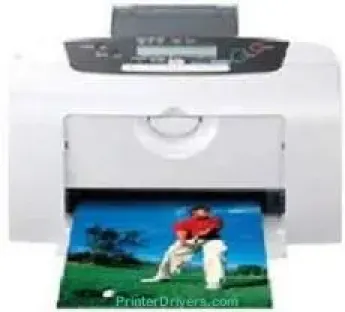
The Canon PIXMA i475D printer model is specifically a photo printer that uses the thermal inkjet print technology. This method applies to printing in black and white or color while maintaining a good standard of output. At the same time, it uses an internal power supply with a nominal voltage of about 120 volts of an AC. In terms of speed, it depends on the print mode and whether it is in black or color.
Canon PIXMA i475D Drivers for Windows
122950a781acbb60d5a870899112cb0caf6b3b6abc59a3376369b21e8f895cc865e347166bed5db1ed757047cbbf64fa73c471f137aa6b22d3ae7de15d6927a0Canon PIXMA i475D Drivers for macOS
84e8a69b7d33f59f29c61df1f663a84c2191c81ed9f9bb83d5f2af3601ed44a1Canon PIXMA i475D Specifications
For instance, in the fast mode, the black and white printing runs at the rate of 18 pages per minute (ppm). On the other hand, when the machine is in normal mode, the rate is about 11.8 ppm. A mixture of text and color graphics prints at the speed of 12 ppm in the fast method. However, at the average speed, the mixture prints at the rate of 4.9 ppm. The machine also displays its status through the liquid crystal display (LCD) screen.
Connectivity is through a wired connection that involves the use of a USB cable through a high-speed port. The image enhancement technology of the machine is the latest microfine droplet technology. It also uses direct printing options such as Canon Bubble Jet Direct and PictBridge. The tool supports the use of envelopes, glossy photo cards, glossy photo paper, and the high-resolution paper. At the same time, it is also compatible with photo paper, matte photo paper, plain paper, and transparent films.
There are two categories of print consumables in this machine. They are the black and color ink tanks which can print 300 and 160 pages, respectively. In terms of power consumption, the sleep mode of the machine consumes 3 watts of power at 60 Hz. However, the operational power usage of this device is about 16 watts.
Technical Details
| Title | Canon PIXMA i475D Drivers |
|---|---|
| Device Type | Printer |
| Driver Version | Varies by driver and operating system |
| Available Downloads | Drivers |
| License | Free |
| Manufacturer | Canon Inc. |