
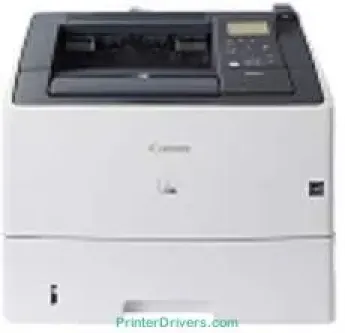
The Canon imageCLASS LBP6780x printer model runs at a speed of 40 pages per minute (ppm) for A4 paper. Also, the monochrome laser beam printing method is the applicable technology. On average, the print resolution is up to 600 x 600 dots per inch, while the maximum is up to 1200 x 1200 dpi. Similarly, it takes about 28 seconds or less for the machine to warm up and be ready to print. The first page out time is also about 8.6 seconds.
Canon imageCLASS LBP6780x Drivers for Windows
04d2e8b6f97ecdbf6149ef728dccd1e27a7ad604327a8fa2972b7d5b6323ac32484d887fc334579b3dc3a8bc75da393a9e3965472a7d23778e61bd2de5b0bee20f9c6406c46b234f582a575d1581efe532fa405c5390a18408e0a3cd074c9611c60ae7abde74362ee1fc65c30bd9d6dbd210613ae7713e332cb28ca73d2602ce7311cbea1ccd079ace89b0024580fdbdf260d7db2a7fa60099b0144936b18e5017f862054d9e4b1e02c3b7e69f25fd87368953856cef81b172fc10104d2ec57ea2bc8d3788b40a988e601879c7178b38569e43ea26256cddb57d63fac655fdec0d4f501e637282f476f558da6d428a536f40bdaf69f972730f29ca6ed53bfe022351d02b585f408482068bf227d77bc186c7f29b3ce31f22340dfa26bf62a80978dba4149b6223898c28c095d1c88859ed1ae9aeab6f3521c2d54ebfd0c972b60cbcdc48fadbe7ec928ffd8b05bb6813ea056ad9d4b3e7473fa76dd1f5d1de7284c3f334b0f856222b8eed352c7ba34b7b81539648effe54499b3e74fab8d559ba516521903a6d3f420ee99db46038790be4c52c00f08e5f40dadb4103727ee3b61dc3d97292c5b398738861d93bde601e4bef0b6df07b51f038ac409ed9a979427b89bc8d04fad2cd44ff669aa188f9c594e14fa7a4377a6036d303db7140f33ae3a9bec19da4981fa9ffa55ea4f53d8846c5a1f2e740bf9ee2b1e5f1a7507a59bca599d9dfe2fc4b60473538828c70aa797ba871b9a86c0299ac83ce6123e203d06cd9ccd69ae52631051dd223d09446d268467e073d875d526e6836c6aabf1f50404ce941c1de922df5a0ec3bd64a12d29816a5f744031ebcda6e0ac5aeef3f4fd16fa6cdc14b041014fb334ae000c9dd07b5fb4f1cff611920fe8a1fd19423d81f5345fe18341a46cda9685998ac34bb4e9d83646bb5db3f3031bed8d40064e44aa350b529a66bd231af6902423a022db12268f6c535a88e9095473bd9fb8489588dc560880fa58e7af3f4a0b67d115b55dfbf3ee02e20ba4e64f1a399d35ce34dce406f36dd4468fa4e86676ad211a0ebe5026fd2007168c92b420d76516a86d8853cc41e26974731a64e63139f24ef01c6bf602ec1a19c74bce55cae18813d953b761ca70a8d70c2bdd2180478b09313620848f4b541c4088009115393bbbc3d5cce35c4598a3f2b7f62c1d191c66a78f5bacdd7ee915f7c61e2771dbff68c3dfadf181b5613fa1622383ccf14566b02d160aa7f01941d10aee6bc386e4fa53803288d165780e30642620fc733296058518e7ae460c263a77588ae1f8b2de53dbdd53cae4b58941fad955d291f8b2889cdd6f8d5550b67fdf46185ce3a29a6ed42bbf5cd6d81f86c8833369c84fdd219eccdfb75db51f8253a8b8f7c4dCanon imageCLASS LBP6780x Drivers for macOS
b301614bc8e88b089d87db898da550f9ccb5bad9238977890796cf36c113c98fb290f06acb549d1f47fca7f26fce0c1e36cf4e2f1a2ff91c792dde6a28cb1f1f8c3891f63d4e6b9d23a613adb34a803bd4b45593d9fc0ca658465a0aba1a7ff3646aaa66b64a8416492c4abf846958b255a596204cbd7db738b975103f543f503cac8d47a0bb1580e74b492bc876858781092e8fae8a009946dc72a2194c0ca96b581313eec6df01b8ad51715b70513f5b2a2cb26467a41d34966d7b57f74f963accb0f153300092a2ee312825c851035f1c66d65dafd67c77e2d4fbcd27c13a312dad7b42625ee423180149805c7ec4e10d238d7ee98b777e766374df0576c85c70ce408e9af249acb1d961605a3c4e4741913910cc53c3a562af0ca8c76e6eb3a91af1f32651926bea385706e66a9224b8471985df9e1f9d051d98d6da7b6301a221888cc3651a64f633e461870d1e2d0cce0ef54abb9c8317ca085ad2196494292469e0acf79d6f42d1ee69f08969d05241d73a3b0845a32aaa2fe1c08f5d22777e10690dcebdae80b6ec50e7bed2b28b71ca4cf9315646912ab2ad21c066702b8d833f5f41ec87cd5b357b1b9ddd3bb3d1b09a3768321db602239d777492c0f30b290384f17a632ab8d1bb4aaeb3589d0088456996795300daf6874e757f48161d9708c89c3e6582c1998ff8f43602df6e3a91aa8f4f1b5bfa1a7cd1078aCanon imageCLASS LBP6780x Drivers for Linux
3dfe6667e86809da6fd5a9775f7097c3e3e124934759090bd945b03fa6a13c28Canon imageCLASS LBP6780x Toner Catridge Details
Toner Cartridge 324 Black : Up to 6,000 Pages and Cartridge 324II Black : Approx. 12,500 Pages, with yields in accordance with ISO/IEC Standard.
Specifications
The duty cycle of the machine at the maximum range is up to 100,000 pages in a month. However, the print margins are 5 mm at the top, bottom, right or left sides of the paper page. In terms of paper handling, the Canon imageCLASS LBP6780x model has an input paper tray that holds 500 sheets of paper. However, there are two optional input trays that hold 500 sheets each. On the other hand, the paper output tray will hold 250 sheets of printed paper in a face-down pattern.
Furthermore, the supported media types include plain paper, heavy paper, transparent films, index cards, and envelopes. In terms of sizes, the printer model supports cassette, A4, A5, A6, executive, 16k, and some custom sizes. Besides, the media weight range is between 60 and 120 gsm. But the multipurpose tray will accommodate between 6o and 199 gsm. The machine also works in the duplex mode, printing on both sides of the page.
Related Printer :Canon imageCLASS LBP7100Cn Driver
The power features of the printer include a voltage range between 220 and 240 volts for 50/60 Hz. On the other hand, the maximum power consumption reaches up to 1400 watts or less. At the active mode, the power usage is 660 watts, while the standby mode is 15 watts. This machine weighs 16.6 kg while the control panel has 5 LCD screens and 9 LED indicators.
Technical Details
| Title | Canon imageCLASS LBP6780x Drivers |
|---|---|
| Device Type | Printer |
| Driver Version | Varies by driver and operating system |
| Available Downloads | Drivers |
| License | Free |
| Manufacturer | Canon Inc. |