
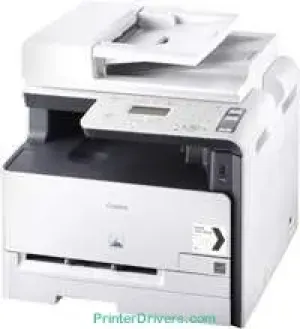
The Canon i-SENSYS MF8040Cn model has an average print resolution of about 600 x 600 dots per inch (dpi). It also has a product group output of an A4 paper with four in-line toner cartridges. The warm-up time is about 30 seconds from the power-on mode, while the maximum resolution is 2400 x 600 dpi. However, this full resolution is possible through an enhanced automatic image refinement (AIR) component.
Canon i-SENSYS MF 8040Cn driver Downloads for Microsoft Windows 32-bit – 64-bit and Macintosh Operating System.
Supported Toner Cartridges
Black Toner Cartridge 716 : Page Yield – upto 2300 pages
716 Cyan Toner Cartridge : Approx 1500 Pages
Toner Cartridge 716 Magenta : Upto 1500 Pages
Yellow 716 Toner Cartridge : Yields upto 1500 Pages
Canon i-SENSYS MF8040Cn Drivers for Windows
13bd3cdcbc1974b12726d96d8dae924133fbb0d6ca56f7cec56336c953423d26b4056ad84e11602469aebb0da7c0e430deb96ca0cd66d29a3845921f7789d35c4d55a4a3e3f5a130bc7a9ccfc5f72f91edf71646e99efe25e959fc74157e973fCanon i-SENSYS MF8040Cn Drivers for macOS
d5f10278e0dd91a898757299adb4a566e5f14e6ad073c885da268768b7b8172e0485a03ef39ecfdf93f0d306d06db70162ec51ee6101b8b216a6bf379343eb35ff5d80d992a0f8b003104ffdc1bdf36bfe8bce0aa49cce77b27cdc9a95a5776c6708a180dad9484c82047dc4624ec4b3dd3438231e6ac5cbcdba793755e1ddb45efcaeccd8b1f1103d2bb966199a47fc50f0116996d987bd51178d61474c21518a9fe8a3ad9ee02fb65e10e05eda1e6d8e6ba268fa987a6e164d5ba661bb1240917e7c7089148ed46d637656f66159b2042287e9084b2b921ae5b5f5c0eb0e48da6c9cbd85a75754061053b0cd0086f0297ea2f9d52a2bb0056fff1438bcff1209431107d2b98a5c1a3d4ae6141590e902abf12a5f16be1d69712e8cfe98455935dc19aa61aba625226444a79ce3488bb61f99b0c653d1abf054c9b471d5a1b3e65a67c44f07e8c6ecf20e167ae2d83d355023809358287d3a2badbce65075856321f7ffd7900bcf8e4b8ce99f0d3d7af91556b836e302306ae8a25a2e16df9de6a48ab862ab2fa01c7793bae9776d4de130b89fe50e189ff8c78d1e5fa6183d360e961225a3a218f8f019abb06cafb6699a0ae2279c20467a32e972a2b98b6d4c12283382997a0a253b5b7bedae90cf797892d245c51f896cbbc7eaf39f0d5b400f046433591f4a0ff3c99e03208e8383398907c9703634230bd5670b241b665afe5cf7fb0b2760c08f60dbce40f1d5569a42ee8c5601b28c28fdbf74dd03b44fe09622cf352cfb39785875efcfde33a7f47cbaa88c59f92f1899529dd25869320c4de024ab67274bafc210f5d86d82238326f1e858f06eeb520309764f3d3902735f008f6d8f5882c2824e3f2b83f7ccf7de77a1e3cca3f3007e0d40da0aefCanon i-SENSYS MF8040Cn Drivers for Linux
b7031f9f0aa035cbc5175cb86e3bd83d06f90673a63ea40105ffb5cc6c60237fCanon i-SENSYS MF8040Cn Specifications
In scanning, this Canon i-SENSYS MF8040Cn machine produces an optical resolution of up to 600 x 600 dpi. Besides, the enhanced scanner resolution is up to 9600 x 9600 dpi with a scan facility. It also has a scanner bit depth of 24-bit for both output and input levels. Besides, it supports A4 paper with a flatbed automatic document feeder (ADF). While copying, the rate is about eight ppm for color documents and 12 ppm for monochrome documents.
The copying process also zooms within a range of 25 and 400% with 1% gradual increments. Also, its resolution is about 600 x 600 dpi. Other functions under the copying mode include the Frame Erase, Collate, 2-on-1, 4-on-1, and ID card copy. The standard copier memory is up to 128 MB of RAM with a first copy page time of 29.3 seconds for color documents. On the other hand, the copy speed for black and white papers is about 22.5 seconds.
The machine supports a USB 2.0 hi-speed port with a compatible network component in terms of the interface options. It also has a liquid crystal display (LCD) component with five support lines and a backlight. Apart from the necessary USB port, the network interface option is the 10/100 Base-T/TX network component. It also has a maximum internal memory of up to 128 MB of RAM in addition to the modern processor.
Technical Details
| Title | Canon i-SENSYS MF8040Cn Drivers |
|---|---|
| Device Type | All-in-one printer |
| Driver Version | Varies by driver and operating system |
| Available Downloads | Drivers |
| License | Free |
| Manufacturer | Canon Inc. |