
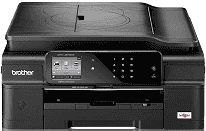
This printer type is the inkjet piezoelectric print technology that ensures an optimized use of the printer resources. The characteristic print heads of the device also are the piezo with 210 nozzles where three more go for color printing. The inbuilt internal memory of this printer is with a capacity of 128 MB of RAM. This feature is essential to the processor that works to bring out the best in the device and at high speed.
Brother MFC-J870DW Drivers for Windows
8a5c4ca7826871258fbf09f53a22ca2e6301abe92ffe7d516ead34cda43d97c7a7fa456aff4609c08a2a71b64cb322b7c425f1d136d24c60b5e7fc02b2d148bcBrother MFC-J870DW Drivers for macOS
dc886520244b33cfeb818312f6ee9b2f31d40a7639309d8a58f522372ac5f9786a9ef2865964ff4918dd1441876a80485fb8c329df36aa8d6680deff2eecd53ebe276896da6d01ab40093bee2ee908216d56ce78a84a40bc32be653c76bc819d949467d5fd874da4f4bcf9028483495f8319aad70483dbb26c2c4db964fbc8a71abf02206636ba656cf2ac87055b7abf22fa7f28e6658ca47be927e79dfbe7a05a7267150b83ee885c1eaea15b7033b2cce24fd9c0ff9335ad5e5e43d2a9371259553d65e3e1fd0efacf7816fbbefce981bc6f2b27ffc20c6b452dba4c4a8d7cf76b3ab85aaf47427b46287fda88801eb90d14cd63b23612824ff1513e658f92a47f2e6b9b5d9f4dc7bf154292f2e691176be4724779a06d00497673134f1a501abf02206636ba656cf2ac87055b7abf22fa7f28e6658ca47be927e79dfbe7a047e26a481968bd3ae74b6d77b69c018982a7e0451375ed6990cb18cfd6c92b598ff2963b6485efab4853dac5e0bff1eb74fa2e47ddc4f9470e79efcb9cbb4e19e33bd724f5c43f06fbeb1a284ac26fe93f3a4bc408e15ef6800440e4d74c00a1868ee1de715a54d657a791d0077a3621bbc02efe2d1d5e69a9b3472a42f1aad0Brother MFC-J870DW Drivers for Linux
d6263d837ca37617603b30b384049ab5abbeac2935cce8c61e901d2b9f4aad9bf557821096dbfc6c5e65efbc227ada49aa2a14c04941208d0b486b8fe34d04ceee97c1ad72ecd510a9f12024ed85b738dd71a06e36e5083466411e48046f7ce070e8c16f1aea8a47bbbcca3dbc8230b6982f2d8565d515b8344eca065c9b7d30027b73648722ac8c8eb1a9c419d284a6562cc763feac9740a2b75a683b0929727d7dcbe8349ae4d4ab816e4551017f2f1fd9fd6bf3f4f3c570fbd9576248dd9f4225e91dd7f7d0ba2a202f616b15b669be7800c271a7d25efed94191f71fc4508bd395b8a25a385eb4a5e2770d4b10b17735203006b7a90a6879a0ef69e5fe4df71dadda535bb90dbfaf88fd603897f96e8b09a2f3ae9bd4e2daafb925e896e24082d824222ec7a7646309260fd661387ca1aa5dc1ffe851db7bbefe5271b755Brother MFC-J870DW Specifications
The liquid crystal display (LCD) is also an integral part of the control panel and the display feature. It measures about 2.7 inches in diagonal as a TFT color touchscreen and a touch panel. The printer supports a power input range between 100 and 120 volts of AC at 50/60 Hz frequency. The sleep mode uses about 1.2 watts while the above method uses only 0.2 watts of power. Printing or copying mode attracts approximate energy of 19 watts while active mode requires 4 watts.
The Brother MFC-J870DW printer has a height of about 7.1 inches (180 mm) and a depth of about 14.7 inches (374 mm). However, the printer has a width of 16.1 inches, which is about 410 mm, and a weight of 20.7 lbs (about 9.4 kg). The standard operating temperature range is between 10 and 35°C and between 20 and 33°C for best print quality. Humidity during operations and for best print quality output is 20 to 80% without condensation.
The Brother MFC-J870DW printer model supports the use of an automatic document feeder (ADF). This component is capable of holding up to 20 sheets of plain paper of a standard weight of 80 gsm at maximum. The supported media types include glossy, transparency, coated, and plain sheets. The sizes vary from the standard ones to the custom sizes. The range covers A4, A5, monarch, folio, and envelopes.
Technical Details
| Title | Brother MFC-J870DW Drivers |
|---|---|
| Device Type | All-in-one printer |
| Driver Version | Varies by driver and operating system |
| Available Downloads | Drivers |
| License | Free |
| Manufacturer | Brother Industries, Ltd. |