
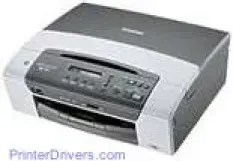
The print method of this printer is through the inkjet print technology with an internal memory of 32 MB of RAM and a host interface of 2.0 version. The printer also supports the use of USB memory components and PictBridge. The latter feature is used to connect cameras and other devices directly to the printer for printing. The display feature of the printer comprises a liquid crystal display (LCD) that supports 16 different characters and just 1 line.
Brother DCP-365CN Drivers for Windows
c6619e1f4a9fa8a918fffd20cc8fd6e28fa72b71234c66348b7b04544a9d65ef90ebeca01ec3bdfe2fd06e052db719c5969ff5591eb5c83e7b97da7ce4418588Brother DCP-365CN Drivers for macOS
8927aa5f3e32f0cef23e4b339771e443022e4d3d5b5433399188fcba8052b07afe5c757fa972cfe84c87cdaeb684c2b6233f2dbd044a69240435e5948eeea2fbccf77ac934b5b9c39d8ce7f51743d95680053835e645b676e7993db898fea8882811fb268c0ee6c15a5a8849b36e9f1854e5c8165afe527669d2a79692709352e7500a1413a0ac29845a1de6f7dc8456e8b368cc68ddb8f996273e0ce804a2f1db090e4122c377bebdd1f1d8003144d11985cad0dcc4dd1ff305de0f4217c1f1f7dedd6f853b70d8fe92f509e0732631db5f1e977abff39c11922290dccb2d3b725d85857205fabd1f1be41168dc0793ebc649cd48bfc5cc3086c74e7568c27e04a8579b472f5213e7129efcfe6cca432db6c46587ff9ffc455824e48e3598836a9ef2865964ff4918dd1441876a80485fb8c329df36aa8d6680deff2eecd53e949467d5fd874da4f4bcf9028483495f8319aad70483dbb26c2c4db964fbc8a77a561501401629bf6fa158d46c5a190eefe95941b2d995e77190840bfb4a58de59553d65e3e1fd0efacf7816fbbefce981bc6f2b27ffc20c6b452dba4c4a8d7ca47f2e6b9b5d9f4dc7bf154292f2e691176be4724779a06d00497673134f1a5047e26a481968bd3ae74b6d77b69c018982a7e0451375ed6990cb18cfd6c92b59868ee1de715a54d657a791d0077a3621bbc02efe2d1d5e69a9b3472a42f1aad0f8b36b787a34698bbe669254a86c305f6b4a595b292f97c41e6e82816be371ddBrother DCP-365CN Specifications
Concerning media specifications, the supported media types include A4, A5, A6, B5, JISB5, envelopes, transparencies, and Monarch. Others include JE4, Com-10, Index card, photo card, and Postcards. Scanning through the scanner glass has maximum dimensions which include a width that is up to 8.5 inches and a length of 11.7 inches. The standard weight should be within a range of 17 to 58 lbs.
Printing in tricolor is at a resolution of up to 1200 x 6000 dots per inch (dpi) with each of the media types with their dimensional limits. The printer also has a color enhancement property for color printing and the droplet size for the two kinds of print is a minimum of 4 picolitres for black and 1.5 picolitres for other colors.
Copying is at a vertical and horizontal resolution of 600 x 1200 dpi for both printing and scanning. It also can carry out multicopy and stacking of 99 copies while the zoom range is between 25 and 400 percent with gradual 1% increments. The printer can also do multiple pages on a single side of the paper and support poster sizes.
Color scanning is at a resolution of 1200 x 2400 dpi as optical resolution and an interpolated resolution of 1200 x 1200 dpi. The printer is also compatible with different operating systems that include Windows and Mac systems.
Technical Details
| Title | Brother DCP-365CN Drivers |
|---|---|
| Device Type | All-in-one printer |
| Driver Version | Varies by driver and operating system |
| Available Downloads | Drivers |
| License | Free |
| Manufacturer | Brother Industries, Ltd. |