
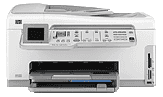
HP Photosmart C7280 is an all-in-one printer that can print, copy send or receive fax and scan documents from an original. This printer has a moderately big size that fits into an office and a good shape for a table. The physical dimensions include a height of 9.5 inches, a width of 17.7 inches and a depth of 17.4 inches. The weight of this Hp printer is about 11 kg. the printer comes with a 1-year warranty while the software media has a warranty of just 90 days. The guarantee of the print or ink cartridges is on the round. Other accessories have a warranty of 1 year unless otherwise stated.
HP Photosmart C7280 Driver for Windows
Driver and Software for Mac OS
HP Photosmart C7280 cartridges
HP02 Black Ink Cartridge (~660 pages ), HP 02 Cyan Ink Cartridge (~400 pages ), HP 02 Magenta Ink Cartridge (~370 pages ), HP 02 Yellow Ink Cartridge (~500 pages ), HP 02 Light Magenta Ink Cartridge (~230 pages ), HP 02 Light Cyan Ink Cartridge (~220 pages )
Printer specifications
1. The input tray capacity is up to about 100 sheets of plain paper with a grammage of 75 gsm. However, the output tray holds about 50 sheets of plain paper. The photo paper tray capacity is up to 20 sheets of 4 x 6-inch Photo paper.
2. The HP Photosmart C7280 printer consumes a maximum of 32.5 watts of energy when in full operation but on the average, the power consumption is just 20.1 watts. The input voltage is at AC 100 to 240 V with approximately 1A of current at 50 – 60 Hz. The output voltage, however, is at DC 32 V.
3. The information on the software system requirements and compatibility are all in the Readme file.
4. The fax function has a dial tone detection.
5. This printer supports different kinds of memory cards. Examples include;
a. Memory Stick, Memory stick Magic gate, Memory stick Pro, Memory stick duo or duo pro, etc.
b. Secure Digital (SD), SDM, SDHC, etc.
c. XD-Picture Card
d. Transflash Micro SD card
e. CompactFlash (CF) types I and II
f. Multimedia Card
6. Connectivity options for this printer include two hi-speed USB ports; a wireless connection and a wired Ethernet connection.
Download HP Photosmart C7280 All-in-One Printer driver from HP website