
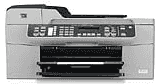
HP Officejet J5750 is an all-in-one printer which performs various functions such as print, scan, copy, and fax. It is very compact and can place in the tiny area. By using this printer, you can save money and power because it consumes very less power of about 40 watts. This printer supports the various types of paper such as Plain Paper, Legal Paper, Envelopes, Cards, and Labels, etc.
HP Officejet J5750 Driver for Windows
Driver and Software for Mac OS
The HP Officejet J5750 driver is also compatible with latest versions of Microsoft Windows including Windows 10, Windows 8, and Windows 8.1, etc. It is also compatible with Macintosh operating system including Mac OS X v10.10, 10.9, 10.8, 10.7, 10.6, and 10.5.
HP Officejet Printer J5750 cartridges
HP 74 Black Original Ink Cartridge (~200 pages ), HP 75 Tri-color Original Ink Cartridge (~170 pages ), HP 100 Gray Photo Original Ink Cartridge (~80 pages )
Supported operating system for HP Officejet J5750 driver:
1. Operating system- Windows 2000, XP, Vista, 7, Mac OS X v10.3.8 or 10.4.x
2. Processor- Intel Pentium 2, 800 MHz and G3
3. RAM- 128 MB and 512 MB.
Paper tray: In this printer, the capacity of the input tray is up to 100 sheets of plain paper and 50 sheets of plain paper in the output tray and for legal paper, 100 sheets in input or 20 sheets in document feeder tray.
Paper sizes: It supports the different types of papers such as A4, DL, A6, A2, and C6, etc.
Power: This printer consumes a power of 40 watts for average printing.
Copy: In this HP printer, the speed of copy a document is up to 0.85 for black and 0.75 for color. The resolution of copy a document is up to 600×1200 dots per inch for both black and color.
Print: The resolution of printing the document is up to 1200×1200 dots per inch for black and 4800 dots per inch for color.
Features of HP Printer Officejet J5750:
1. It can easily convert scanned text to editable text.
2. This printer provides the transmission of the fax is about 33.6 Kbps.
3. The image editor feature also included in this printer.
Download HP Officejet J5750 All-in-One Printer driver from HP website