
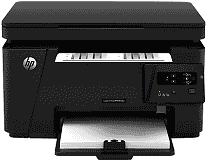
The printer model, LaserJet Pro MFP M126a, has a model number CZ174A. This model belongs to the M125 and the M126 series. The physical dimensions are a height of 10 inches, a width of 16.5 inches, a depth of 17.2 inches and a weight of 18.3 lbs.
HP LaserJet Pro MFP M126a Drivers for Windows
ff9e27daa698e998d31ba30737428d9b2d09e9568c853d36631c27feea6ded4e1f1a51334c242c0694348ac12b8a5bbb47b5dd64e4264aa6261b247a65897dae22731ac21346246b6e3f708e5b157a1b8267c03e53105233405716cbde2574edHP LaserJet Pro MFP M126a Drivers for macOS
99e1d18847c64a405486ae34424f0a1c8d89920d17df86c45b6b0007f101d70a4ae9937731e211cd555246523701de7e33b70a0a3bb4323d6d2875df49f4906207652454eeb139f01d69a132166d112fdbce4a331fa95ca32cb802b577507934HP LaserJet Pro MFP M126a Specifications
HP LaserJet Pro MFP M126a driver connectivity options in this device include the standard hi-speed USB port only on the rear side of the printer. In other words, this printer does not have the Wireless and the Ethernet LAN features. Also, the printer cannot print from Mobile devices.
Regarding the paper tray capabilities, the input tray can hold up to 150 sheets of plain paper. However, the output tray can only hold 100 sheets of plain printer paper. The supported media types usable in HP LaserJet Pro MFP M126a printer include the envelopes, transparencies, index cards, and plain sheets. The sizes may also vary from standard sizes to custom-based sizes.
The printer specifications include a print resolution of 600 x 600 dots per inch (dpi) at the plain-best printing mode. Other modes produce lesser resolutions while the input sensor has a resolution of 1200 x 1200 dpi. The print language is the PCL3 GUI while the print speed is as fast as 21 pages per minute (ppm).
The print speed is dependent on the model of the printer in use as well as the complexity of the document in print. The first page prints in 9.5 seconds while the maximum duty cycle of the printer is up to 8000 pages per month.
The copy specifications include a resolution up to 400 x 600 dots per inch (dpi); the rate of copy is up to 21 copies per minute (cpm). This copy speed depends on the complexity of the document as well as the model of the printer in use. This printer can not only print but can also copy and scan documents with perfection.
Technical Details
| Title | HP LaserJet Pro MFP M126a Drivers |
|---|---|
| Device Type | All-in-one printer |
| Driver Version | Varies by driver and operating system |
| Available Downloads | Drivers |
| License | Free |
| Manufacturer | HP Inc. |