
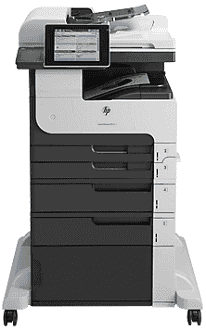
HP LaserJet Enterprise MFP M725f, as the name reads, is a multifunction printer that is capable of printing, scanning, copying, sending and receiving fax messages. The model number of this particular device is CF067A. The printer contains three different trays with varying capacities and two more that are optional. The first tray, which is the primary source, holds up to 100 sheets of paper, while the second tray has a 250-sheet capacity.
HP LaserJet Enterprise MFP M725f Drivers for Windows
55baf222b1879a2194bc922757b944a53faf0ec9c29ad9ab08677e138ca137c57affb02465a9941b8f3dad3b894c5c96457f0e3e11593294d269f44d17510b61a6689f3a616c6ca42ed988651b9313124ce025ff439b04222bae2ed03bdfa7f0790d4354da6f3c56d7955b4fb29cf475dcf9d07febc82e4aaa7cd653f2238540d2f18088da8df16f0017983756626431eeeeddb0e386dd19a223c89e5a6a9c4fce728403422ec1c590fb971561abec94e476484815326373058a39afd61bccc2cc5c7d9a9f83c8f0133c25117e3ec2eddb63bb42f93ef455246cb578202c6e93e012cb0546d69bb5675b4d00e77aaa0c908c9e2aeb7f7aec081a2ee71ef486ed8cba26b97b528443fd853bd04b73d2a13e378ef3a7a5630bf9784910a8e6a09e1254b78a9bce9455cda4818154204596693481f141ea24135400a03b2d6cff2beb727293767ac87183406c24c35cea7756c5b4acbcd130e968e6f166c6c95c08bea1ab4fb7079681cb60e7dcc19ffdcaa8f955a7b4c018f4b44c5ff05cf20973b5e03eff7772b8ff14e6bc09e7d3ece79fdc058ac93e597d4de58ea65cd131a1680967e8c32026bc2071ce27a65e55a2e26501f405a8a09c0324f59a974f1cc2252e3bb84737038c907650b13a150fe34cfaddc5810fa8a17e29b0e1e3e49fed9086a918c0d2b80dc034ad79fe64f90fc0fb244fb9ed7af2c3c9e71cf03979831088425bc237bfabaf7ff8fedb6675d2bc6a55836caa899688eda82c404247313e1529cc2cf7f249d20d574f41e6d32f7e9ce1341e11553bec91c6fa19a346639de80bc833a2f776e022b89864a857fd2dc375c1e6ead3d2c52f5d7a714dcf4e29727ea882c9492c7fa1dca8dec9742b0b5dbcab4270ae91f1dac651212b87ceHP LaserJet Enterprise MFP M725f Drivers for macOS
99e1d18847c64a405486ae34424f0a1c8d89920d17df86c45b6b0007f101d70a3ec3fddaacbd5ccdac359432218d5a6d85a6f89d8a224f7318954637697c96adcba1598dc5d03fbf28fa649dafca5cd251f273066cc3a050966834a73ba66c3eHP LaserJet Enterprise MFP M725f toner cartridge.
HP14A Black LaserJet Toner Cartridge (~10000 pages )
Specifications
The compatible operating system spans over the Microsoft Windows OS versions and the Macintosh OS versions. The printer supports Windows Vista, Windows XP SP2 or later, Windows 2003, Windows 7, and Windows 8. It also supports Apple systems of Mac OS X versions 10.6, 10.7, and Mac OS X v10.8.
The third tray has the 350-sheet capacity. The optional trays include a 500-sheet capacity tray while the other has the same function as a loading cabinet. All of these trays mentioned are for loading the printer. However, on the other hand, the standard output tray is of 250-sheet capacity. The HP LaserJet Enterprise MFP M725f printer also has automatic duplex printing that enables the printer to print on the two sides of the paper.
The supported paper sizes include standard formats such as Postcards, Envelopes, Transparency, Labels, A4 and custom sizes. The compatible accessories that are usable in this device include a fax accessory, staple cartridge, USB cable, and DIMM memory card. The printer also supports mobile printing with compatibility for apps such as HP ePrint, HP Smart Print, Apple AirPrint and Mopria as well as other apps.
The connectivity options for this device include the hi-speed USB 2.0 ports and the 10/100/1000T Ethernet LAN network connection with IPv4 and IPv6. Alternatively, there is also the easy-access USB port for printing and scanning even without the computer. This feature is also helpful in the upgrading of the firmware. The internal memory of this device has a 320 GB HP Performance Secure Hard Disk.
Technical Details
| Title | HP LaserJet Enterprise MFP M725f Drivers |
|---|---|
| Device Type | All-in-one printer |
| Driver Version | Varies by driver and operating system |
| Available Downloads | Drivers |
| License | Free |
| Manufacturer | HP Inc. |