
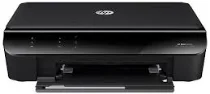
The HP ENVY 4500 printer model has individual environmental specifications that involve the operating conditions. An example is a temperature range between 5 and 40°C, and a humidity range between 15 and 80% RH non-condensing. However, for storage, the acceptable range is between -40 and 60°C. This product is also an ENERGY STAR-rated printer which indicates its suitability for the environment and saves natural resources.
HP ENVY 4500 Drivers for Windows
aaa132e031a9e6950b91203c3a449e32de2e240ef75c4adef7b0f65d2f695fcec077caefe06e4e99d69f0dd317631ff7a09959bf0d9ef5f8a923c551e79cc77f1b4f57e667f6289d44e8c2be22e6977ebbad4c2c9ada232b724809f3e52075acd2f18088da8df16f0017983756626431eeeeddb0e386dd19a223c89e5a6a9c4fce728403422ec1c590fb971561abec94e476484815326373058a39afd61bccc2HP ENVY 4500 Drivers for macOS
99e1d18847c64a405486ae34424f0a1c8d89920d17df86c45b6b0007f101d70a654a38ea331bf09aa9b9c5564b016f67785e02776f07c133e6a9c945036da471HP ENVY 4500 e-All-in-One cartridges
HP61 Black Ink Cartridge (~190 pages), HP 61 Tri-color Ink Cartridge (~165 pages)
The power properties of this HP ENVY 4500 printer involve a maximum power consumption of 85 watts and 50 watts on average. Also, it allows an input range between 100 and 240 volts while the output current is 50 to 60 Hz. The output voltage is 32 Volts of a DC, which is equivalent to 1300 mA. Furthermore, the compatible network protocol is the TCP/IP and an embedded web server for remote printer maintenance.
As a multifunction HP printer, it is capable of printing, copying, scanning, and sending or receiving fax messages. Among the outstanding specifications of digitization are the image editor inclusion and TWAIN-compliant software interface. At the same time, the resolution is up to 1200 x 2400 pixels per inch (PPI) at an optical level. However, the maximum resolution is 19200 enhanced PPI with the aid of the software. The color depth is 48-bit while the grayscale is 8-bit at 256 levels of gray.
When copying, this machine uses digital image processing and can produce several copies from an original document. The speed of the device varies according to the complexity of the document and printer model. However, for reduction and enlargement limits, the former is about 25%, and the latter is nearly 400%. It also favors two-sided printing, which helps the printer to print on both sides of the pages. At the same time, this machine runs the PCL3 GUI emulation print language.
Technical Details
| Title | HP ENVY 4500 Drivers |
|---|---|
| Device Type | All-in-one printer |
| Driver Version | Varies by driver and operating system |
| Available Downloads | Drivers |
| License | Free |
| Manufacturer | HP Inc. |