
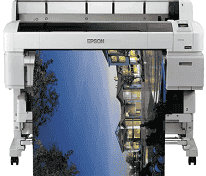
The Epson SureColor SC-T5200D driver is basically software that is supposed to take care of all 36-inch professional-wide format printers for technical drawing and CAD design work. The driver package is quite complete and covers everything related to the PrecisionCore MicroTFP printhead controls, pigment-based ink management solutions for UltraChrome XD2, and dual-roll media handling systems, which include continuous workflows for printing. However, suppose the driver is not installed correctly. In that case, users cannot avail of certain vital features like automatic switching of paper, borderless printing capabilities, and line accuracy for architectural/engineering documentation. And we have drivers for complete installation, concerned with Windows and Mac OS, a full installation procedure, and troubleshooting aids. Proper setup of these drivers guarantees better performance in engineering firms, architectural offices and design studios, based on their demand for outstanding technical drawing output quality.
Epson SureColor SC-T5200D Driver for Windows
Driver and Software for Mac OS
Windows Driver Installation and Setup Process
The first step pending technical drawing is to install an Epson SureColor SC-T5200D printer driver, and this must be done with Administrator privileges; otherwise, the system can view it as incompatible. On Epson’s website, choose any one set compatible with your Windows architecture to download all drivers for either 32-bit or 64-bit. The Windows drivers for the SC-T5200D may need to allocate sufficient memory in the system resources for handling huge CAD and technical drawing files; this must be checked before installation. The installation wizard also sets up the print spooler services and communication protocols for the USB or network interfaces and installs the Epson advanced color management system for technical applications. After installation, open printer properties through the Control Panel, set up the dual-roll settings, the media-detection parameters, and the print-quality options for engineering and architectural drawings.
Mac OS Driver Configuration and Integration
The Epson SureColor SC-T5200D printer driver installation is easy since these drivers are placed within Apple’s native printing architecture, plus an additional architectural framework for macOS device drivers. Installation is via System Preferences for Mac. It silently configures CUPS printing services and copies the ICC profiles for technical drawing and CAD output applications to the appropriate place in the system folders. Upon completion of the installation, go to System Preferences > Printers and Scanners and check if the machine has been recognized correctly and set any network printing options for the shared office environment. The driver supports full compatibility with print preview systems under macOS, making it possible to accurately soft-proof large-scale technical drawings before their final output. Professional users could also utilize the dual-roll functions integrated within the driver so that the media types could be switched automatically, thereby making workflows more efficient.
Advanced Features and Technical Support
SureColor SC-T5200D driver packages come with some extra technologies added for professional technical printing work, such as automated media recognition algorithms for dual-roll switching and print queue controls. Through the Epson Printer Utility, you can check UltraChrome XD2 ink levels, undertake automatic nozzle maintenance, and conduct alignment calibration for line accuracy to the utmost in technical drawings. CAD users can find built-in storage drivers for AutoCAD, MicroStation, etc., with optimized print drivers and custom paper size configurations. Troubleshooting may include network-level problems on the enterprise level and also configuring Windows firewalls to allow proper communication on standard printing ports. These are kept updated for maintaining communication with new CAD software releases, for addressing performance bottlenecks, or for adding support for new technical media types and printing standards. Download Epson SureColor SC-T5200D driver from Epson website