
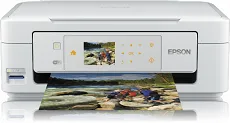
Epson Expression Home XP-415 has high-quality features regarding the hardware and software components for optimum print performance. Also, as a multifunctional printer, the device can print, copy, and scan documents to produce optimal quality. At the same time, printing has a quality resolution of 5760 x 1440 dots per inch (dpi). The device has a minimum ink droplet size of 3 picolitres (pl) with a variable-sized droplet technology.
Epson Expression Home XP-415 Driver for Windows
Driver and Software for Mac OS
Specifications
According to the ISO/IEC 24734 standard, printing with this device has a print rate of 8.7pages per minute for black and white documents. On the other hand, the print rate for color documents is at 4.5 ppm in the same mode. At the same time, standard printing on Epson premium glossy photo paper takes about 38 seconds. Simultaneously, monochrome printing has a speed of 33 ppm, and color documents run at 15 ppm.
Scanning black documents at the single-sided mode on A4 paper size with a resolution of 300 dpi has a speed of 2.4 milliseconds per line. But when 600 dpi resolution, the speed changes to 7.2 milliseconds per line. On the other hand, for color documents, 300 dpi documents run at 9.5 milliseconds per line. At the same time, 600 dpi runs at a speed of 14.3 milliseconds per line.
The optical resolution during the scanning process is up to 1200 x 2400 dpi for the horizontal and vertical sides. It also uses the contact image sensor (CIS) element for scanning. Concerning paper handling in this device, it has a multifunctional tray that can accommodate up to 100 sheets of plain-paper or 20 photo paper sheets. It also supports standard paper sizes such as A4, A5, B5, B6, C6, legal, label, and envelopes. It also has predefined print margins. Download Epson Expression Home XP-415 driver from Epson website