
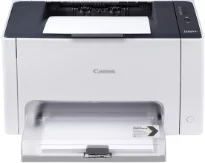
Canon i-SENSYS LBP7010C belongs to a particular category of portable and typical printers for high yield of production. The machine can produce a print speed of up to 16 pages per minute (ppm) for black and white documents. However, the print speed is up to 4 ppm on A4 paper when printing in color. The print method that is applicable in this machine is the laser beam print technology. At the same time, users can obtain a maximum print quality resolution of up to 2400 x 600 dots per inch (dpi).
Canon i-SENSYS LBP7010C Drivers for Windows
788691137305775228fccdd60eda421e2d0a3b2e82a058b5711a8af7e5cda71936a8adfa62830f64d76c95f14c24a6a040e439dc44a54968e06d20360d460c39Canon i-SENSYS LBP7010C Drivers for macOS
447325e9ba81034ea9d6b1b0a9594158c269e804ede9ef644e8657ca482bc8006ab22eb02be80fd6182460dfcacc024cc2c02e2fc2696c3f0701309076d8979f75341c120a4cee3635780d875ee209afe6d175153596f36a176980870d6ca57eCanon i-SENSYS LBP7010C Drivers for Linux
8565a2fdc4f452bb8cf97ceadadd6614d12eac73e253ac6d59e61b8abae941beCanon i-SENSYS LBP 7010C driver Downloads for Microsoft Windows 32-bit – 64-bit and Macintosh Operating System.
Supported Toner Cartridges
729 Yellow Toner Cartridge : Upto 1200 Pages
Toner Cartridge 729 Magenta : Approx 1200 Pages
Cyan 729 Toner Cartridge : Yields approx 1200 Pages
Black 729 Toner Cartridge : Upto 1600 Pages
This high resolution is achievable through the automatic-image refinement component. Otherwise, the machine can only produce a maximum resolution of 600 x 600 dpi. Its warm-up time depends on the mode from which the printer is coming. For instance, the machine takes about 10 seconds to be ready for printing from the sleep mode. However, the approximate warm-up time is about 66 seconds or less from the power-on mode.
The first page out time is approximately 24.7 seconds for color and 13.6 seconds for monochrome printing. In a month, Canon i-SENSYS LBP7010C can produce up to 15000 printed pages of high-quality output. In terms of the paper margins, the machine allows 5 mm at the top, bottom, left, and right sides of the page. For envelope sizes, the print margin is 10 mm.
Furthermore, the machine has a multipurpose tray that can hold up to 150 sheets of plain paper. On the flip side, the device’s output capacity is not more than 50 sheets at a time. The compatible options include plain paper, heavy paper, coated paper, transparency for black and white documents concerning the media types. Other paper types include labels, envelopes, rough paper, and recycled paper.
Technical Details
| Title | Canon i-SENSYS LBP7010C Drivers |
|---|---|
| Device Type | Printer |
| Driver Version | Varies by driver and operating system |
| Available Downloads | Drivers |
| License | Free |
| Manufacturer | Canon Inc. |