
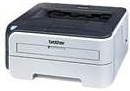
If a user desires a portable product that will still not compromise the quality of print and works at high speed, this is the product to purchase. The internal printing technology remains the modern electrophotographic print method that allows for effective use of the available print resources and maximizes the capacity of the machine.
Brother HL-2150N Driver for Windows
Driver and Software for Mac OS
Specifications
The speed of the printer rates up to 22 pages per minute (ppm) when printing on an A4 while the speed is up to 23 ppm for printing on the letter sized paper. The rate of the first page after issuing the command is less than 10 seconds. However, the print resolution is a factor of the operating systems in use in the connected PC to this printer.
For instance, the Windows OS versions 2000, XP and Vista print at a minimum resolution of 300 dots per inch (dpi). This printer has a maximum resolution of 1200 dpi for high-quality maximum printing. It is difficult to monitor the print resolution of computers with the DOS command while the Mac OS and Linux both works at a similar resolution as that of Windows OS.
The inbuilt processor of this device has a speed of 181 MHz, and it is the ARM9 processor component. In addition to the processor is the inbuilt internal memory that combines with the processor to create the impressive speed and quality of standard size 16 MB of RAM. The user interface for connecting to this device is the hi-speed USB 2.0 standard port as well as the Ethernet 10/100Base-TX.
Similarly, this printer supports the use of both IPv4 and IPv6 protocol components such as ARP, RARP, BOOTP, HTTP server, TFTP Client and Server, FTP server, IPP, TELNET, APOP, ICMP and Web services. The supported counterpart IPv6 protocols include mDNS, ICMPv6, NDP, DNS resolver and many more of several peculiarities and usage. Download Brother HL-2150N driver from Brother website