
Printer Drivers » old » Brother DCP-7010 Driver Download

Brother DCP-7010 Driver Download

Brother DCP-7010 Driver

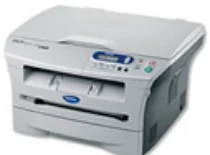
This Brother DCP-7010 printer is a multifunctioning printer with the ability to print, copy and scan with high speed and quality. The automatic document feeder has different dimensions which include an input width of 215.9 mm and an input length of 297.9 mm. The primary input paper capacity holds up to 250 sheets of plain and legal sheets. The output tray however only holds about 100 printed pages.

Brother DCP-7010 Driver for Windows

Supported OS: Windows 7 (32-bit), Windows 7 (64-bit), Windows Vista (32-bit), Windows Vista (64-bit), Windows XP (32-bit), Windows XP (64-bit)
Printer Full Drivers for Windows 32-bit and 64-bit(Recommended)
Supported OS:Windows 7 32-bit and 64-bit
34.41 MB
Printer Driver and Scanner Driver for Windows 32-bit(Recommended)
Supported OS:Windows 7 32-bit
2.56 MB
Printer Driver and Scanner Driver for Windows 64-bit(Recommended)
Supported OS:Windows 7 64-bit
2.72 MB
Printer Full Drivers for Windows 32-bit and 64-bit(Recommended)
Supported OS:Windows vista 32-bit and 64-bit
66.36 MB
Printer Driver and Scanner Driver for Windows 32-bit(Recommended)
Supported OS:Windows Vista 32-bit
3.38 MB
Printer Driver and Scanner Driver for Windows 64-bit(Recommended)
Supported OS:Windows Vista 64-bit
3.57 MB
Printer Full Drivers for Windows 32-bit(Recommended)
Supported OS:Windows xp 32-bit
140.96 MB
Printer Full Drivers for Windows 64-bit(Recommended)
Supported OS:Windows xp 64-bit
77.30 MB
Printer Driver and Scanner Driver for Windows 32-bit(Recommended)
Supported OS:Windows XP 32-bit
4.51 MB
Printer Driver and Scanner Driver for Windows 64-bit(Recommended)
Supported OS:Windows XP 64-bit
11.04 MB

Driver and Software for Mac OS

Supported OS: OS X Yosemite 10.10, OS X Mavericks 10.9, OS X Mountain Lion 10.8, OS X Lion 10.7, Mac OS X Snow Leopard 10.6, Mac OS X Leopard 10.5
Printer Driver for macOS
Supported OS:macOS 10.10
28.86 MB
Printer Driver for macOS
Supported OS:macOS 10.9
22.67 MB
Printer Driver for macOS
Supported OS:macOS 10.6 to 10.8
26.04 MB
Printer Driver for macOS
Supported OS:macOS 10.5
5.45 MB
Scanner Driver for macOS
Supported OS:macOS 10.8 to 10.10
8.32 MB
Scanner Driver for macOS
Supported OS:macOS 10.7 to 10.10
6.53 MB
Scanner Driver for macOS
Supported OS:macOS 10.6
4.89 MB
Scanner Driver for macOS
Supported OS:macOS 10.5
2.08 MB

Specifications

The printer has an input memory of 16 MB of RAM that enhances the device to work with great finesse. The connectivity options include a hi-speed universal serial bus (USB) 2.0 port as well as the parallel IEEE-1284. The other options include NC-2100p, the external print server and NC-2200w which is the wireless USB server.

The speed of the printer work is up to 20 pages per minute (ppm) for printing on letter size. Whereas, the resolution of the printer is HQ1200 dots per inch (dpi) while the maximum resolution is 2400 x 600 dpi. The print languages are compatible with the Windows GDI.

The copying feature of this Brother DCP-7010 printer has a resolution of 600 x 300 dots per inch (dpi) at maximum. Regarding enlargement and reduction, the least zoom level of the printer is 25% while the peak is 400% with a gradual increase. The printer is also capable of multipage printing that can be up to 2 or 4 on a single page. The copying feature can also stack sheets of up to 99 copies from a single original document.

The scanning feature can work both color and monochrome functions. The scanning resolution is at maximum, 600 x 2400 dpi but the interpolated resolution 9600 x 9600 dpi. The color depth is also 256 with compliance with TWAIN component. The Brother DCP-7010 printer is also compatible with both Windows and Mac operating systems. Download Brother DCP-7010 driver from Brother website