
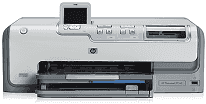
This particular model of printer belongs to the HP Photosmart D7100 printer series that can produce beautiful photos. This printer can save such images and create a fun-filled project whether a computer is present or not. These are borderless photos in color and black and white. The photos can also have special effects such as Sepia or Antique.
HP Photosmart D7160 Driver for Windows
Driver and Software for Mac OS
Another uniqueness of this printer is its ability to detect a mark at the back of the HP Advanced Photo Paper. This detection enhances the printer to choose the best print settings for your work automatically. Besides, the HP Real Life technologies make it easy to do photo features such as removing red-eye, adaptive lighting and shadow detail enhancements
HP Photosmart D7160 cartridges
Black Ink HP 02 Cartridge (~660 pages ), HP 02 Cyan Ink Cartridge (~400 pages ), HP 02 Magenta Ink Cartridge (~370 pages ), HP 02 Yellow Ink Cartridge (~500 pages ), HP 02 Light Magenta Ink Cartridge (~230 pages ), HP 02 Light Cyan Ink Cartridge (~220 pages )
Printer Features
1. The featured cartridges in this printer include the Black, Cyan, Light Cyan, Yellow, Magenta and Light Magenta Ink cartridges.
2. Supported Operating Systems include the Microsoft Windows 98, 2000 Professional and Windows Me. Others include XP Home and XP Professional, and all these apply to Microsoft Windows Systems. But for Apple systems, the supported operating systems include Mac OS X 10.3, 10.4 and later OS versions.
3. When using HP Photosmart D7160 printer, it is needful to ensure that the system has some minimum hard disk free space. 500 MB applies to Windows systems while 150 MB minimum applies to Mac OS versions.
4. The connectivity means involve a Hi-speed USB 2.0 port, a frontal PictBridge port for connecting cameras and Bluetooth wireless.
5. Processors required for proper installations include Intel Pentium II and higher for Windows. However, for Mac systems G3, G4, G5 or Intel Core Duo or greater processors are applicable.
6. Supported media types include plain, inkjet, photo and panoramic photo papers. Others include transparent films, index cards, hagaki, envelopes and iron-on transfers.
Download HP Photosmart D7160 Printer driver from HP website