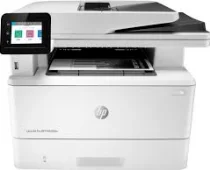
The HP LaserJet Pro MFP M428fdw printer is a unique model device with outstanding qualities such as printing, copying, scanning, faxing, and emailing. Its print speed by default is a whopping 40 pages per minute (ppm). But when the machine is at the HP high speed, the print rate is up to 42 ppm. Simultaneously, the first page out at the ready mode is as fast as 6.1 seconds, while the high resolution at the fine lines mode is up to 1200 x 1200 dots per inch (dpi). The HP LaserJet Pro MFP M428fdw Easy Start Driver for Windows has a size of 9.41 MB.
Full Software Solution for Windows 32-bit and 64-bit(Recommended)
Supported OS:Windows 11, 10, 8.1, 8, 7 32-bit and 64-bit
176.24 MB
Universal Scan – Full Feature Drivers and Software for Windows 32-bit and 64-bit(Recommended)
Supported OS:Windows 11, 10, 8.1 32-bit and 64-bit
411.19 MB
Universal Scan – Full Feature Drivers and Software for Windows 32-bit and 64-bit(Recommended)
Supported OS:Windows 7 32-bit and 64-bit
410.79 MB
Basic Driver and Software Solutions for Windows 32-bit
Supported OS:Windows 10, 8, 8.1, 7 32-bit
71.51 MB
Basic Driver and Software Solutions for Windows 64-bit
Supported OS:Windows 11, 10, 8, 8.1, 7 64-bit
77.69 MB
Universal Scan – Basic Feature Drivers and Software for Windows 32-bit
Supported OS:Windows 10, 8.1 32-bit
78.81 MB
Universal Scan – Basic Feature Drivers and Software for Windows 64-bit
Supported OS:Windows 11, 10, 8.1 64-bit
99.17 MB
Universal Scan – Basic Feature Drivers and Software for Windows 32-bit
Supported OS:Windows 7 32-bit
78.69 MB
Universal Scan – Basic Feature Drivers and Software for Windows 64-bit
Supported OS:Windows 7 64-bit
98.83 MB
PCL 6 V3 Printer Driver – no installer for Windows 32-bit and 64-bit
Supported OS:Windows 11, 10, 8.1, 8, 7 32-bit and 64-bit
20.16 MB
PCL 6 V4 Printer Driver – no installer for Windows 32-bit and 64-bit
Supported OS:Windows 11, 10, 8.1 32-bit and 64-bit
16.18 MB
Universal Fax Driver for Windows 32-bit and 64-bit
Supported OS:Windows 11, 10, 8.1, 7 32-bit and 64-bit
16.36 MB
PCL6 Universal Print Driver for Windows 32-bit
Supported OS:Windows 11, 10, 8.1, 8, 7 32-bit
19.44 MB
PCL6 Universal Print Driver for Windows 64-bit
Supported OS:Windows 11, 10, 8.1, 8, 7 64-bit
22.11 MB
PostScript Universal Print Driver for Windows 32-bit
Supported OS:Windows 11, 10, 8.1, 8, 7 32-bit
20.70 MB
PostScript Universal Print Driver for Windows 64-bit
Supported OS:Windows 11, 10, 8.1, 8, 7 64-bit
23.26 MB
USB Connected PCL6 Universal Print Driver for Windows 32-bit
Supported OS:Windows 11, 10, 8.1, 8, 7 32-bit
19.80 MB
USB Connected PCL6 Universal Print Driver for Windows 64-bit
Supported OS:Windows 11, 10, 8.1, 8, 7 64-bit
22.44 MB
USB Connected PostScript Universal Print Driver for Windows 32-bit
Supported OS:Windows 11, 10, 8.1, 8, 7 32-bit
21.07 MB
USB Connected PostScript Universal Print Driver for Windows 64-bit
Supported OS:Windows 11, 10, 8.1, 8, 7 64-bit
23.59 MB
ePrint Software – Network and Wireless Connected Printers for Windows 32-bit
Supported OS:Windows 10, 8, 8.1, 7 32-bit
26.22 MB
ePrint Software – Network and Wireless Connected Printers for Windows 64-bit
Supported OS:Windows 10, 8, 8.1, 7 64-bit
31.19 MB
Easy Start Printer Setup Software for Windows 32-bit and 64-bit
Supported OS:Windows 11, 10 32-bit and 64-bit
11.33 MB
Easy Start Printer Setup Software for Windows 32-bit and 64-bit
Supported OS:Windows 8, 8.1 32-bit and 64-bit
11.33 MB
Easy Start Printer Setup Software for Windows 32-bit and 64-bit
Supported OS:Windows 7 32-bit and 64-bit
16.31 MB
Other resolution technologies include the HP FastRes 1200, HP ProRes 1200, and the Economode. In a single month, this machine can produce up to 80,000 pages of imaged output. However, HP recommends a range of production between 750 and 4000 pages in a month. The device uses modern laser print technology and contains a display component that measures 2.7 inches in an intuitive color touchscreen (CGD).
The standard connectivity options include using the USB 2.0 hi-speed port, a rear host USB, a front USB port, and a Gigabit Ethernet 10/100/1000Base-T network. It has a standard internal memory of 512 MB, which is the maximum level it can take. The first input paper tray can hold up to 100 sheets, and the second input tray takes 250, while the automatic document feeder (ADF) contains 50 sheets of plain paper. Download HP LaserJet Pro MFP M428fdw driver from Hp website