
Printer Drivers » Drivers » Printer » HP » HP DeskJet Ink Advantage Ultra 4729 Driver Download

HP DeskJet Ink Advantage Ultra 4729 Driver Download

HP DeskJet Ink Advantage Ultra 4729 driver

This particular product specially designed for color printing, especially for photos. The printer offers a low print cost. HP DeskJet Ink Advantage Ultra 4729 driver printer uses a direct Wi-Fi printing that favors cloud and app printing.

HP DeskJet Ink Advantage Ultra 4729 Driver for Windows

Supported OS: Windows 11 (64-bit), Windows 10 (32-bit), Windows 10 (64-bit), Windows 8.1 (32-bit), Windows 8.1 (64-bit), Windows 8 (32-bit), Windows 8 (64-bit), Windows 7 (32-bit), Windows 7 (64-bit), Windows Vista (32-bit), Windows Vista (64-bit), Windows XP (32-bit)
Full Feature Drivers and Software for Windows 32-bit and 64-bit(Recommended)
Supported OS:Windows 11, 10, 8.1, 8, 7, Vista, XP 32-bit and 64-bit
145.95 MB
Full Feature Drivers and Software for Windows 64-bit
Supported OS:Windows Vista 64-bit
132.37 MB
Basic Drivers – IT Professional Use only for Windows 32-bit
Supported OS:Windows 10, 8.1, 8, 7, Vista, XP 32-bit
49.35 MB
Basic Drivers – IT Professional Use only for Windows 64-bit
Supported OS:Windows 11, 10, 8.1, 8, 7 64-bit
52.46 MB
Basic Driver for Windows 64-bit
Supported OS:Windows Vista 64-bit
38.98 MB
Easy Start Printer Setup Software for Windows 32-bit and 64-bit
Supported OS:Windows 11, 10 32-bit and 64-bit
15.75 MB
Easy Start Printer Setup Software for Windows 32-bit and 64-bit
Supported OS:Windows 8.1, 8 32-bit and 64-bit
15.75 MB
Easy Start Printer Setup Software for Windows 32-bit and 64-bit
Supported OS:Windows 7 32-bit and 64-bit
15.75 MB
ePrint Software – Network and Wireless Connected Printers for Windows 32-bit
Supported OS:Windows 10, 8, 8.1, 7 32-bit
26.22 MB
ePrint Software – Network and Wireless Connected Printers for Windows 64-bit
Supported OS:Windows 10, 8, 8.1, 7 64-bit
31.19 MB

Driver and Software for Mac OS

Supported OS: macOS Ventura 13, macOS Monterey 12, macOS Big Sur 11, macOS Catalina 10.15, macOS Mojave 10.14, macOS High Sierra 10.13, macOS Sierra 10.12, OS X El Capitan 10.11, OS X Yosemite 10.10, OS X Mavericks 10.9
Easy Start Printer Setup Software for macOS
Supported OS:macOS 10.9 to 13
10.89 MB

hp Deskjet ink advantage ultra 4729 cartridges

HP46 Black Ink Cartridge (1500 pages), HP 46 Tri-color Ink Cartridge (750 pages)

Specifications

The printer works based on thermal inkjet technology. It uses a manual page duplexer that helps it to print on both sides of the paper. HP Deskjet Ink advantage 4729 can be used to print, scan or copy. It is built for both USB and Wireless support. The working temperature of this device can be between 50C and 400C. The power consumption is about 10 watts when actively working and only 2.1 watts when on standby. The device weighs only about 4.17 Kg and dimensions of 438 x 310 x 158 mm (WDH).

The drivers found on the printer is the HP PCL 3 GUI which is also very much available for download. The wireless functions involve a built-in Wi-Fi 802.11 b/g/n coupled and a high-speed USB 2.0. The printer allows not only ePrint but also Apple AirPrint, with the wireless direct printing. The HP Deskjet Ink Advantage 4729 device itself, HP 46 Black Ink Cartridge, HP 46 Tri-colour Ink cartridge, Software CD, Setup poster, power cord and USB cable.

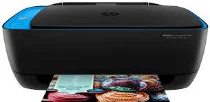
One distinct feature of the printer is a blue accent that surrounds the corner of the scanner cover. This makes a complete uniqueness from conventional box-shaped colored printers. To add to this, the dimensions of the bottom is not longer or wider than an A4 sheet. There are tiny LEDs around the printer as indicators in seven segments. The device is very user-friendly. Download HP DeskJet Ink Advantage Ultra 4729 All-in-One Printer driver from HP website.