
Printer Drivers » old » HP DeskJet Ink Advantage 3786 Driver Download

HP DeskJet Ink Advantage 3786 Driver Download

HP DeskJet Ink Advantage 3786 Driver

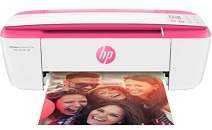
The printer is an all-in-one printer with a multifunction ability that involves printing, copying, scanning, sending and receiving fax messages. The printer has a product number of 4SC30A with attractive accessories apart from the machine itself. The accessories include an HP 664 setup black ink cartridge that can print up to 120 pages of paper. Furthermore, there is another cartridge, this time the HP 664 setup tri-color cartridge that can print up to 100 pages. Other items in the pack include a software CD, a setup poster, and a power cord.

HP DeskJet Ink Advantage 3786 Driver for Windows

Supported OS: Windows 11 (64-bit), Windows 10 (32-bit), Windows 10 (64-bit), Windows 8.1 (32-bit), Windows 8.1 (64-bit), Windows 8 (32-bit), Windows 8 (64-bit), Windows 7 (32-bit), Windows 7 (64-bit), Windows Vista (32-bit), Windows XP (32-bit)
Full Feature Drivers and Software for Windows 32-bit and 64-bit(Recommended)
Supported OS:Windows 11, 10, 8.1, 8, 7 32-bit and 64-bit
102.51 MB
Easy Start Printer Setup Installation Software and Full Drivers for Windows 32-bit and 64-bit
Supported OS:Windows 11, 10, 8.1, 8, 7 32-bit and 64-bit
173.45 MB
Full Feature Drivers and Software for Windows 32-bit
Supported OS:Windows XP, Vista 32-bit
102.52 MB
Basic Driver – IT Professional Use only for Windows 64-bit
Supported OS:Windows 11, 10, 8.1, 8, 7 64-bit
59.47 MB
Basic Driver for Windows 32-bit
Supported OS:Windows 10, 8, 8.1, 7, XP, Vista 32-bit
54.48 MB
Basic Driver for Windows 32-bit
Supported OS:Windows XP, Vista 32-bit
55.93 MB
Easy Start Printer Setup Software for Windows 32-bit and 64-bit
Supported OS:Windows 11, 10 32-bit and 64-bit
16.48 MB
Easy Start Printer Setup Software for Windows 32-bit and 64-bit
Supported OS:Windows 8.1, 8 32-bit and 64-bit
16.48 MB
Easy Start Printer Setup Software for Windows 32-bit and 64-bit
Supported OS:Windows 7 32-bit and 64-bit
16.48 MB
ePrint Software – Network and Wireless Connected Printers for Windows 32-bit
Supported OS:Windows 10, 8, 8.1, 7 32-bit
26.22 MB
ePrint Software – Network and Wireless Connected Printers for Windows 64-bit
Supported OS:Windows 10, 8, 8.1, 7 64-bit
31.19 MB

Driver and Software for Mac OS

Supported OS: macOS Sequoia 15, macOS Sonoma 14, macOS Ventura 13, macOS Monterey 12, macOS Big Sur 11, macOS Catalina 10.15, macOS Mojave 10.14, macOS High Sierra 10.13, macOS Sierra 10.12, OS X El Capitan 10.11, OS X Yosemite 10.10, OS X Mavericks 10.9
HP Easy Start for macOS
Supported OS:macOS 10.9 to 15
10.75 MB

Specifications

The connection ports include one hi-speed USB 2.0 port and a built-in WiFi 802.11b/g/n component. The copier settings include a reduce to fit option without auto enlarge option and a color copy compatibility. The maximum number of copies is up to 9 copies and a speed of up to 4 copies per minute(CPM). The copy resolution is up to 300 x 300dots per inch(dpi) and an internal memory of 64MB of integrated DDR1.

The mobile printing capability of the printer includes support for HP ePrint, Apple AirPrint, and wireless direct printing services. In terms of networking, the advanced feature requires a TCP/IP network protocols. The paper handling involves an input capacity of up to 60 sheets of plain sheets. Furthermore, the same device accommodates up to 5 envelopes and 20 index cards. The output capacity of the printer is up to 25 sheets of printed papers.

The supported media types include plain paper, matte brochure papers, glossy brochure papers, and photo papers. The other options include the envelopes and other specialty inkjet papers. Concerning the standard and custom sized media sizes, the supported formats are A4, A5, B5, envelopes, legal, and letter. The supported media weight on the average, according to the US standard, is about 20 lbs. Download HP DeskJet Ink Advantage 3786 driver from Hp website