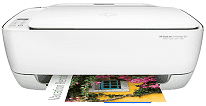
Select the correct HP DeskJet 3635 driver that compatible with your operating system.
HP DeskJet 3635 All-in-One printer driver Downloads for Microsoft Windows 32-bit – 64-bit and Macintosh Operating System.
HP DeskJet 3635 Driver for Windows
Supported OS: Windows 11 (64-bit), Windows 10 (32-bit), Windows 10 (64-bit), Windows 8.1 (32-bit), Windows 8.1 (64-bit), Windows 8 (32-bit), Windows 8 (64-bit), Windows 7 (32-bit), Windows 7 (64-bit), Windows Vista (32-bit), Windows Vista (64-bit), Windows XP (32-bit)
Full Feature Drivers and Software for Windows 32-bit and 64-bit(Recommended)
Supported OS:Windows 11, 10, 8.1, 8, 7 32-bit and 64-bit
88.07 MB
Full Feature Drivers and Software for Windows 32-bit
Supported OS:Windows XP, Vista 32-bit
88.07 MB
Full Feature Drivers and Software for Windows 64-bit
Supported OS:Windows Vista 64-bit
124.73 MB
Basic Driver – IT Professional Use only for Windows 32-bit
Supported OS:Windows 10, 8, 8.1, 7 32-bit
43.36 MB
Basic Driver for Windows 32-bit
Supported OS:Windows XP, Vista 32-bit
43.36 MB
Basic Driver – IT Professional Use only for Windows 64-bit
Supported OS:Windows 11, 10, 8, 8.1, 7 64-bit
45.55 MB
Basic Driver for Windows 64-bit
Supported OS:Windows Vista 64-bit
45.55 MB
Easy Start Printer Setup Software for Windows 32-bit and 64-bit
Supported OS:Windows 11, 10 32-bit and 64-bit
16.29 MB
Easy Start Printer Setup Software for Windows 32-bit and 64-bit
Supported OS:Windows 8, 8.1 32-bit and 64-bit
16.29 MB
Easy Start Printer Setup Software for Windows 32-bit and 64-bit
Supported OS:Windows 7 32-bit and 64-bit
16.29 MB
ePrint Software – Network and Wireless Connected Printers for Windows 32-bit
Supported OS:Windows 10, 8, 8.1, 7 32-bit
26.22 MB
ePrint Software – Network and Wireless Connected Printers for Windows 64-bit
Supported OS:Windows 10, 8, 8.1, 7 64-bit
31.19 MB
Driver and Software for Mac OS
Supported OS: macOS Ventura 13, macOS Monterey 12, macOS Big Sur 11, macOS Catalina 10.15, macOS Mojave 10.14, macOS High Sierra 10.13, macOS Sierra 10.12, OS X El Capitan 10.11, OS X Yosemite 10.10, OS X Mavericks 10.9
Easy Start Printer Setup Software for macOS
Supported OS:macOS 10.9 to 13
10.89 MB
Specifications
With the dimensions as width, depth, and height of 438, 310, and, 158 mm, the printer only weighs 4.17 kg. Thus, it can be carried around easily. The printer has ePrint capability and a duty cycle of up to 1000 pages per month. It uses the HP Thermal Inkjet technology for printing. Even the Input tray can hold 60 sheets of plain paper at once. For printing, the device has an integrated standard memory which allows the users to save the required amount of data in the system.
As for the printing speed, the printer can print with 20 ppm for black printouts. And for color printouts, the speed is up to 16 ppm. The first print can be made within 14 seconds for black and 17 seconds for color prints. When it comes to resolution, the printer can process 1200 x 1200 rendered dpi. In addition to color printing, the resolution support is up to 4800 x 1200 optimized dpi.
The printer also has a flatbed scanner for easy mobile printing. For scanning, the printer has support for 1200 dpi. It uses the CIS scanning method to scan the documents. While the connectivity facilities include built-in Wi-Fi, wireless LAN, and USB port, it is super easy to connect with various devices. So, if you want an affordable printer with high-quality printing, then HP DeskJet 3635 is the right choice for you. Take advantage of this multi-function printer for high-end results. Download HP DeskJet 3635 driver from Hp website
