
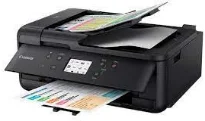
The Canon PIXMA TR7550 model of printer is an ideal product for users who desire an exceptional experience in printing. Some of the outstanding features include WIFI certification that helps to use and share documents wirelessly. Also, there is a Canon print app that is compatible with both smartphones as well as tablet printing and scanning. Apart from Wi-Fi, this printer can also connect to other devices through Bluetooth for direct printing.
Canon PIXMA TR7550 Driver for Windows
Driver for Linux
Ink Cartridge Details
Standard Pigment Black Ink Cartridge PGI-580PGBK (200 pages)
Standard Black Ink Cartridge CLI-581BK (1505 pages)
Standard Cyan Ink Cartridge CLI-581C (256 pages)
Standard Magenta Ink Cartridge CLI-581M (237 pages)
Standard Yellow Ink Cartridge CLI-581Y (257 pages)
Optional XL Pigment Black Ink Cartridges PGI-580PGBK XL (400 pages)
Optional XL Black Ink Cartridges CL-581BK (3120 pages)
Optional XL Cyan Ink Cartridges 581C (515 pages)
Optional XL Magenta Ink Cartridges CL-581M (474 pages)
Optional XL Yellow Ink Cartridges CL-581Y (514 pages)
Optional XXL Pigment Black Ink Cartridges PGI-580PGBK (600 pages)
Optional XXL Black Ink Cartridges CLI-581BK (6360 pages)
Optional XXL Cyan Ink Cartridges CLI-581C (820 pages)
Optional XXL Magenta Ink Cartridges CLI-581M (760 pages)
Optional XXL Yellow Ink Cartridges CLI-581Y (824 pages)
The printing resolution of the Canon PIXMA TR7550 print model is up to 4800 x 1200 dots per inch (dpi). It also supports five individual inks that cover PGBK, BK, Y, M, and C as well as ChromaLife 100 inks. Furthermore, the machine also corks with the Inkjet FINE print head with picolitre at the minimum ink droplet size. Black and white printing in this device runs at a speed of approximately 15.0 pages per minute (ppm).
Conversely, the color printing runs at the rate of 10.0 ppm, while monochrome printing at duplex mode is 3.0 ppm. Photo print speed on the borderless paper size of 10 x 15 cm, is at an approximate rate of 37 seconds. The compatible dimensions with borderless printing include A4, letter sizes, as well as 20×25 cm, 13×18 cm, and 10×15 cm. This Canon PIXMA TR7550 machine also works with the duplex printing that helps to print on both sides of the page.
As a multi-function rate, it uses the flatbed, ADF, CIS color scanning components to produce the best quality. The scanning resolution from these features runs up to 1200 x 2400 dots per inch (dpi). Also, the speed is up to 15 seconds on average when working with A4 paper size. The scanning depth for the scanning is 48 bit and 24 bit for input and output, respectively. Download Canon PIXMA TR7550 driver from Canon website.