
Printer Drivers » Drivers » Printer » Canon » Canon PIXMA MX474 Driver Download

Canon PIXMA MX474 Driver Download

Canon PIXMA MX474 Driver

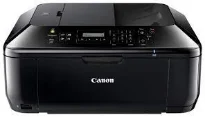
Canon PIXMA MX474 is an excellent multifunction printer that can produce outstanding results from printing, scanning, copying, and faxing. Beginning with the copier function, the rate of creating the first copy page is about 24 seconds per page. However, subsequent pages come out at the speed of 4.7 images per minute (ipm) through the main tray. When working through the ADF, continuous copying, the rate of work is 4.3 ipm.

Canon PIXMA MX474 driver Downloads for Microsoft Windows 32-bit – 64-bit and Macintosh Operating System.

Canon PIXMA MX474 Driver for Windows

Supported OS: Windows 11 (64-bit), Windows 10 (32-bit), Windows 10 (64-bit), Windows 8.1 (32-bit), Windows 8.1 (64-bit), Windows 8 (32-bit), Windows 8 (64-bit), Windows 7 (32-bit), Windows 7 (64-bit), Windows Vista (32-bit), Windows Vista (64-bit), Windows XP (32-bit)
Full Driver and Software Package for Windows 32-bit and 64-bit(Recommended)
Supported OS:Windows 10, 8.1, 8, 7, Vista, XP 32-bit and 64-bit
48.86 MB
MP Drivers for Windows 32-bit and 64-bit(Recommended)
Supported OS:Windows 11, 10, 8.1, 8, 7, Vista, XP 32-bit and 64-bit
24.49 MB
XPS Printer Driver for Windows 32-bit and 64-bit
Supported OS:Windows 11, 10, 8.1, 8, 7, Vista 32-bit and 64-bit
17.96 MB
Printers and Multifunction Printers security patch for Windows 32-bit and 64-bit
Supported OS:Windows 11, 10, 8.1 32-bit and 64-bit
42.41 kB
Printers and Multifunction Printers security patch for Windows 32-bit and 64-bit
Supported OS:Windows 7 32-bit and 64-bit
42.41 kB

Driver and Software for Mac OS

Supported OS: macOS Ventura 13, macOS Monterey 12, macOS Big Sur 11, macOS Catalina 10.15, macOS Mojave 10.14, macOS High Sierra 10.13, macOS Sierra 10.12, OS X El Capitan 10.11, OS X Yosemite 10.10, OS X Mavericks 10.9, OS X Mountain Lion 10.8, OS X Lion 10.7, Mac OS X Snow Leopard 10.6
Full Driver and Software Package for macOS
Supported OS:macOS 10.13 to 10.15
10.57 MB
Full Driver and Software Package for macOS
Supported OS:macOS 10.6 to 10.12
9.78 MB
CUPS Printer Driver for macOS
Supported OS:macOS 11 to 13
15.23 MB
CUPS Printer Driver for macOS
Supported OS:macOS 10.7 to 10.15
13.81 MB
CUPS Printer Driver for macOS
Supported OS:macOS 10.6
15.68 MB
ICA Driver for macOS
Supported OS:macOS 11, 12
3.25 MB
ICA Driver for macOS
Supported OS:macOS 10.7 to 10.15
2.08 MB
ICA Driver for macOS
Supported OS:macOS 10.6
3.14 MB

Driver for Linux

Supported OS: Linux (32-bit), Linux (64-bit)
IJ Printer Driver for Linux
Supported OS:Linux
1.41 MB
IJ Printer Driver for Linux
Supported OS:Linux
1.51 MB
IJ Printer Driver for Linux
Supported OS:Linux
7.33 MB
ScanGear MP for Linux
Supported OS:Linux
1.19 MB
ScanGear MP for Linux
Supported OS:Linux
1.22 MB
ScanGear MP for Linux
Supported OS:Linux
2.46 MB

Ink Catridge Details

Cyan, Yellow, Magenta Ink Catridges CL-441, PG-440 Black Ink Catridge

Furthermore, this Canon PIXMA MX474 printer function supports multiple copies between 1 and 99. Also, it can reduce the size of the output copy to 25% of the original document. On the contrary, it can also enlarge the output copy size to 400% of the original document size. Some other related features to copying include document copying, photocopying, fit-to-page copying, and borderless copying. Users can also adjust the copy quality settings to be fast, standard, or high.

In terms of faxing specifications, the appropriate component is a Super G3 feature that supports color faxing. Then, the faxing resolution depends on whether the document in the transmission is in black and white or color. If the transmitted text is black and white, the faxing resolution is about 300 x 300 dpi. But when a color document is in the faxing process, it is about 200 x 200 dpi. In any case, the faxing memory can store up to 50 pages of documents.

Under scanning specifications, it uses the flatbed feature that also has a contact image sensor (CIS). Besides, the machine Canon PIXMA MX474 can also work through the automatic document feeder (ADF) while producing a resolution of 1200 x 2400 dpi. At the same time, the scan speed for A4 sheets is approximately 15 seconds per page. Besides, the maximum document sizes that can work through the scanner include A4, letter, and clean sheets. Download Canon PIXMA MX474 driver from Canon Website