
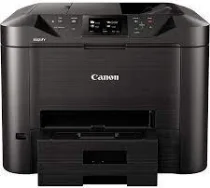
The Canon MAXIFY MB5450 is an all-in-one machine with functions that include print, copy, scan, fax, Wi-Fi, Ethernet, plus cloud link. For the printer features, mono A4 has a print speed of approximately 24 images per minute (ipm) and a color print speed of 15.5 ipm. Similarly, mono’s first page out time is about 6 seconds ready and 10 seconds sleep, while color is 7 seconds ready and 12 seconds sleep. Also, the machine supports inkjet and FINE print head and has a print resolution of 600×1200 dots per inch (dpi).
Canon MAXIFY MB5450 Driver for Windows
Driver and Software for Mac OS
Driver for Linux
Specifications
The compatible scanner types are Flatbed and single pass 2-sided ADF with scanner technology of 2x CIS color scanner. Also, the max: document on the flatbed includes A4 and LTR (216x297mm) and A4, LTR, and LGL on ADF. Similarly, the scan functions include scanning to email, scanning to network folder, scanning to the cloud, and scanning to USB. For the copier specifications, ADF color has a copy speed of approximately 11.5ipm, and ADF mono has 22 ipm. In addition, the copy functions include frame erase, collate, 2-on1, 4-on-1, and 2-sided copy.
Similarly, compatible paper types include plain paper, envelopes, Canon high-resolution paper, Canon Matte, and Canon pro luster. At the same time, it supports Canon plus semi-gloss, Canon plus glossy II, and Canon glossy everyday use. Furthermore, the upper and lower cassette can hold up to 250 sheets. Meanwhile, the supported plain paper sizes include A4, A5, B5, LTR, and LGL. Also, photo paper sizes include A4, LTR, 20x25cm, 13x18cm, and 10x15cm with a width of 89 to 215.9mma and length of 127 to 355.6mm.
On the other hand, the paper weight of plain paper is between 64 to 105g/m, and canon photo paper is up to 275g/m. In addition, the machine’s dimensions (w x D x H) are 463 x 394 x 351mm and 463 x 459 x 351mm (paper installed). Also, it has an Automatic Document Feeder (ADF) of up to 50 sheets and a weight of 12.9kg. Download Canon MAXIFY MB5450 driver from Canon website.