
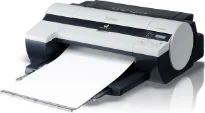
The Canon imagePROGRAF iPF500 printer displays five different colors through its 17 inches size machine. The total number of nozzles is up to 30,720 for MBK (5120), C, M, Y, BK, each with 2560 nozzles. At the same time, the nozzle pitch has a resolution of 1200 dots per inch (dpi) for two rows. It also has a non-firing nozzle detection and compensation component. The main printer resolution itself reaches a level of 2400 x 1200 dpi at maximum performance.
Canon imagePROGRAF iPF500 Driver for Windows
Driver and Software for Mac OS
Ink Catridge details
Size of Ink Droplet : 4 picoliter
Droplet Ink Size : Pigment/Dye Reactive Ink
Ink Capacity : per color 130ml
Tanks of Ink : Starter 6 Ink Tanks – 2x MBK, Magenta, Cyan, Yellow, Black
Ink Catridge Color Set : Dye Color Cyan, Yellow, Magenta, Black Ink Pigment: Black Matte (two channels)
This machine is also compatible with Windows 98 SE, Me, 2000, 2003 Server, and Windows XP. Apart from MS Windows OS, the device also supports Mac OS 9.1, X 10.2, 10.3, and 10.4 versions. The standard interface options include the standard USB 2.0 hi-speed port and a Firewire IEEE1394 component. It also supports the use of a 10/100Base-T/TX component, but it is optional.
The minimum ink droplet size of the ink nozzle is about four picolitres (pl), while the ink capacity is 130 ml. This size also matches the dye/ pigment reactive ink that the machine uses. Canon imagePROGRAF iPF500printer model has a buffer RAM of 128 MB without a separate hard drive. The compatible media width is the cut sheet, roll, and cassette 8 to 17. In terms of the media thickness, the top-loading manual feed takes a diameter between 0.08 to 0.8 mm.
This machine has the following physical dimensions: a width of 32.2 inches and a height of 12.5 inches. The depth is about 28.9 inches, while the weight is approximately 86 lbs. In terms of the power specifications, this machine supports a power source of 100 to 120 volts of an AC at 50/60 Hz. The maximum power consumption of the device is up to 100 watts but uses only 6 watts on standby mode. Download Canon imagePROGRAF iPF500 driver from Canon website.