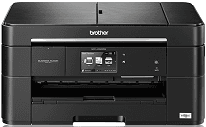
This Brother MFC-J5625DW is with an inkjet print technology and two types of print heads, one for the monochrome printing and the other for color printing. The former print head is the piezo with 420 nozzles for black printing while the color print head works for cyan, magenta and yellow colors.
Brother MFC-J5625DW Driver for Windows
Supported OS: Windows 11 (64-bit), Windows 10 (32-bit), Windows 10 (64-bit), Windows 8.1 (32-bit), Windows 8.1 (64-bit), Windows 8 (32-bit), Windows 8 (64-bit), Windows 7 (32-bit), Windows 7 (64-bit), Windows Vista (32-bit), Windows Vista (64-bit), Windows XP (32-bit), Windows XP (64-bit)
Full Driver and Software Package for Windows 32-bit and 64-bit(Recommended)
Supported OS:Windows 11, 10 32-bit and 64-bit
183.42 MB
Full Driver and Software Package for Windows 32-bit and 64-bit(Recommended)
Supported OS:Windows 11, 10, 8.1, 8, 7, Vista, XP 32-bit and 64-bit
161.54 MB
Printer Driver and Scanner Driver for Local Connection for Windows 32-bit and 64-bit
Supported OS:Windows 11, 10 32-bit and 64-bit
42.25 MB
Printer Driver and Scanner Driver for Local Connection for Windows 32-bit and 64-bit
Supported OS:Windows 11, 10, 8.1, 8, 7, Vista, XP 32-bit and 64-bit
41.84 MB
Driver and Software for Mac OS
Supported OS: macOS Monterey 12, macOS Big Sur 11, macOS Catalina 10.15, macOS Mojave 10.14, macOS High Sierra 10.13, macOS Sierra 10.12, OS X El Capitan 10.11, OS X Yosemite 10.10, OS X Mavericks 10.9, OS X Mountain Lion 10.8, OS X Lion 10.7
ICA Scanner Driver for macOS
Supported OS:macOS 12
2.53 MB
ICA Scanner Driver for macOS
Supported OS:macOS 11
2.50 MB
Printer Driver for macOS
Supported OS:macOS 10.15
27.67 MB
ICA Scanner Driver for macOS
Supported OS:macOS 10.15
2.28 MB
Full Software Package for macOS
Supported OS:macOS 10.14
86.27 MB
Printer Driver for macOS
Supported OS:macOS 10.14
27.43 MB
Scanner Driver for macOS
Supported OS:macOS 10.14
293.09 MB
Full Software Package for macOS
Supported OS:macOS 10.11 to 10.13
86.33 MB
Printer Driver for macOS
Supported OS:macOS 10.11 to 10.13
27.66 MB
Scanner Driver for macOS
Supported OS:macOS 10.13
293.23 MB
Scanner Driver for macOS
Supported OS:macOS 10.12
293.07 MB
Brother MFC-J5625DW Scanner Driver for macOS
Supported OS:macOS 10.8 to 10.11
294.43 MB
Full Software Package for macOS
Supported OS:macOS 10.10 to 10.13
86.34 MB
Printer Driver for macOS
Supported OS:macOS 10.10 to 10.13
27.65 MB
Full Software Package for macOS
Supported OS:macOS 10.7 to 10.9
71.53 MB
Printer Driver for macOS
Supported OS:macOS 10.7 to 10.9
18 MB
Scanner Driver for macOS
Supported OS:macOS 10.7 to 10.10
6.53 MB
Driver for Linux
Supported OS: Linux (32-bit), Linux (64-bit)
LPR Printer driver for Linux
Supported OS:Linux (RPM Package)
2.68 MB
CUPSwrapper Printer driver for Linux
Supported OS:Linux (RPM Package)
17.38 kB
Scanner driver for Linux
Supported OS:Linux (RPM Package)
98.10 kB
Scanner driver for Linux
Supported OS:Linux (RPM Package)
116.23 kB
PC-FAX driver for Linux
Supported OS:Linux (RPM Package)
45.15 kB
LPR Printer driver for Linux
Supported OS:Linux (DEB Package)
2.67 MB
CUPSwrapper Printer driver for Linux
Supported OS:Linux (DEB Package)
15.07 kB
Scanner driver for Linux
Supported OS:Linux (DEB Package)
90.55 kB
Scanner driver for Linux
Supported OS:Linux (DEB Package)
108.64 kB
PC-FAX driver for Linux
Supported OS:Linux (DEB Package)
38.30 kB
Specifications
The internal memory capacity of the printer is up to 128 MB of RAM that enables the printer to work at an excellent speed for impressive quality. The display component of the device is a liquid crystal display (LCD) of 3.7 inches in diagonal measurement. This component also has a description of TFT color touchscreen LCD and the touchpad which can give the user a pleasant operation experience.
The height of the Brother MFC-J5625DW printer is about 274 mm; the width is 480 mm while the depth is about 188 mm. The weight of the device, however, is about 11.7 kg. in terms of power; the primary source is through the AC outlet of a range between 220 to 240 Volts at a frequency between 50/60 Hz. Apart from this, power consumption also depends on the activity mode of the printer.
While printing or copying, the power consumption of the printer is about 32 watts, the expenditure is 5.5 watts when ready to print. When the printer is asleep, the printer has an estimated usage of 1.8 watts and 0.4 watts when connected to power but still off.
The measured standards of the device are according to the IEC 62301 2.0 edition. Another unique feature of the machine is that while the printer makes a connection to power, it can switch itself on automatically for print head maintenance. Download Brother MFC-J5625DW driver from Brother website.
