
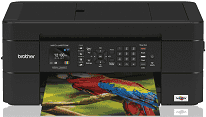
The Brother MFC-J497DW comes with incredible features and capabilities that influence the effectiveness of the machine’s driver. For instance, the driver impacts the effective printing, scanning, faxing, and copying of documents. It supports color copy capability with a copy resolution of 1200 x 600 dpi (dots per inch). In addition, the maximum black copy speed is 6ppm, and the max: color copy speed is 3ppm. In addition, it supports poster and sorting functions and a 25% to 400% reduction and enlargement option.
Brother MFC-J497DW Driver for Windows
Driver and Software for Mac OS
Driver for Linux
Specifications
Furthermore, Brother MFC-J497DW printer supports automatic duplex and borderless printing with a maximum of 12ppm as the black print speed. On the other hand, it supports a maximum of 6ppm as the color print speed. In addition, it works with Inkjet print technology and a print resolution of 1200 x 600 dpi (dots per inch). On the other hand, the Automatic Document Feeder (ADF) capacity includes 20 pages. Also, it supports Duplex printing capability with plain, glossy paper and recycled paper. In addition, the maximum input for ADF comprises 8.5 widths and 14 heights, while the minimum i/p includes 5.8 widths and heights each.
Moreover, the supported paper handling on the tray includes Letters, envelopes, Legal, executive, A4, A5, A6, and Envelopes (C5, DL, and Monarch). Similarly, it supports Photo of 3.5 x 5, 4×6, 5×7, 5×8 and 8 x 10. Meanwhile, the compatible operating systems include Windows 10, 8.1, 8, 7, Windows Server 2008, 2008 R2, 2012, 2012 R2, 2016 Mac(R), and OS X v10. 11.6, 10.12.x and 10.13.x. Furthermore, the recommended monthly print volume is up to 1000, and the maximum monthly duty cycle is up to 2,500.
As for the faxing properties, the supported fax modem speed is 14.4 bps, and the maximum fax page memory is 170. On the other hand, the interpolated scan resolution includes 19200 x 19200 dpi (dots per inch). In addition, the supported optical flatbed is 1200 x 2400 dpi, and for ADF is 1200 x 600 dpi. In addition, the supported scan file formats include JPEG (JPG), PDF Single-page, and multi-page. Download Brother MFC-J497DW driver from Brother website.